Loading…
Guide
How to Copy the Correct Pinterest Pin Link for Downloading
The Pinterest Video Downloader works smoothly when you provide a correct direct URL.
How to Copy the Correct Pinterest Pin Link for Downloading
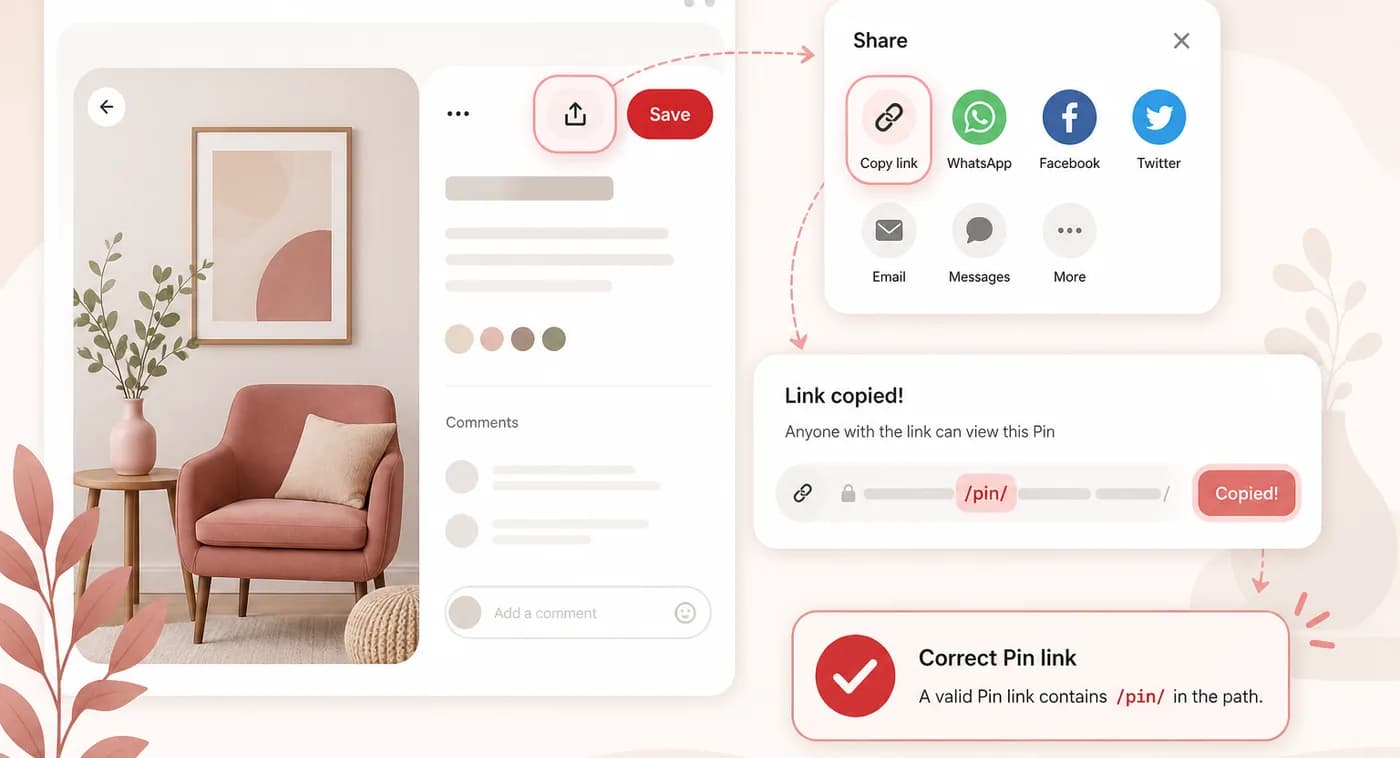
If you are continuously trying to download Pinterest Pins using the Pinterest Downloader and nothing happens? This is not about the bad tool’s performance but about links.
The Pinterest Video Downloader works smoothly when you provide a correct direct URL. If you copy an incorrect or invalid link, such as a profile link, shortened redirect, etc, the Pinterest Downloader may not be able to find the content.
What is a valid Pinterest Pin link?
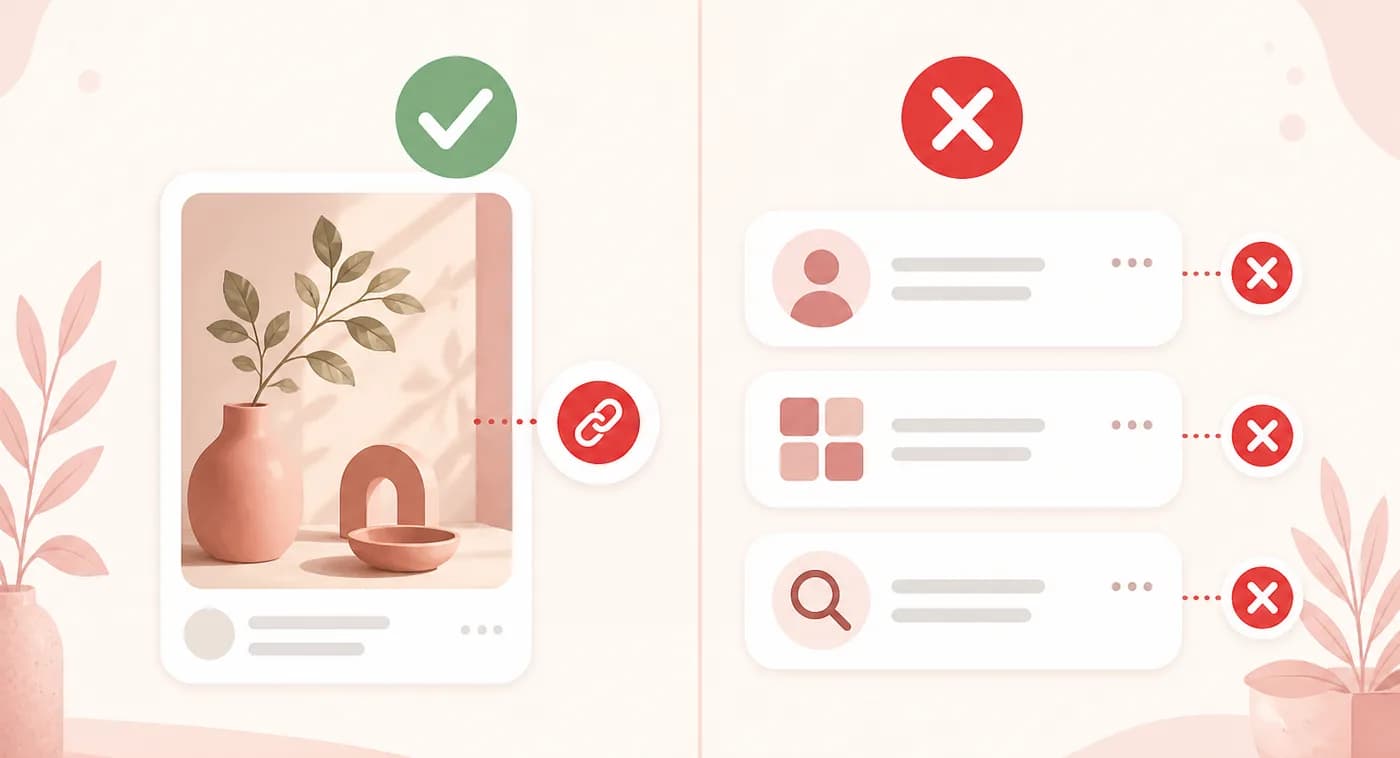
The correct link is a specific direct pin link; when clicked, it opens the exact post containing Pinterest content. The Pinterest original link looks like:
https://www.pinterest.com/pin/1234567890/
Or
https://pinterest.it/abc123
Pinterest.it links are shortened Pinterest links that usually redirect to the original pins and work with the Pinterest Downloader tool, provided the link is publicly available.
What is a valid Pinterest Pin link?
The pins that never work with the tool are:
- A Pinterest Board
- A Profile Page
- A Search Result Page
- Your Home Feed
- A direct image URL instead of the Pinterest pin URL
How to Copy the Correct Pinterest Pin Link for Saving?
If you want to download a Pinterest Pin to any of your devices, it is simple. Here is a complete process:
On Desktop (PC and Mac)
Method 1: Copy from the Browser Address Bar
- 1
Open Pinterest in your browser.
- 2
Find the Pin you want to download.
- 3
Click the Pin to open its dedicated page.
- 4
Click the browser's address bar.
- 5
Press Ctrl + C on Windows or Command + C on Mac.
- 6
Paste the URL into your Pinterest downloader.
On Mobile Android
- 1
Launch the Pinterest app and sign in if necessary.
- 2
Open the specific video, image, or GIF you want to download.
- 3
Make sure you have opened the individual Pin, not just a search-results page or board.
- 4
Look for the Share icon on the Pin.
- 5
Click the Copy link button.
- 6
Pinterest will copy the URL of the pin to your device's clipboard.
- 7
Open your Pinterest pin and paste the copied URL into the input field.
- 8
Then choose the download option provided by the tool.
On an iPhone
- 1
Open the Pinterest app
- 2
Locate the Pin you want to download.
- 3
Click the Pin so that it opens individually.
- 4
Tap Pinterest's Share button.
- 5
From the sharing options, choose Copy link.
- 6
Open your Pinterest downloader, tap the URL field, and paste the link.
On an iPhone
If the downloader supports that type of Pinterest content, it should be able to process the Pin.
What makes a link correct vs. incorrect
Link type — Example — Suitable for downloading?
Suitable for downloading
Direct Pin URL — pinterest.com/pin/123456789/ — Yes
Not suitable for downloading
Pinterest profile URL — pinterest.com/username/ — No
Board URL — pinterest.com/username/board-name/ — Usually no
Search URL — pinterest.com/search/pins/?q=... — No
Home page — pinterest.com/ — No
Tips to Follow
Before copying the link of any post, ensure you have opened a specific link
Make sure you are opening the correct link.
Never change the Pinterest link.
Use Pinterest's Copy link option for copying the link.
Ensure that the complete URL is copied.
Make sure there are no spaces before or after the link.
If you have a short link, open it and copy the direct Pin URL.
Deleted, private, or unavailable Pins may not work with a downloader.
Conclusion
In short, use the share button whenever it is available. Always use the correct, usable pin link that works easily with the downloader. Please use the publicly available link to access the Pinterest page without any issues.